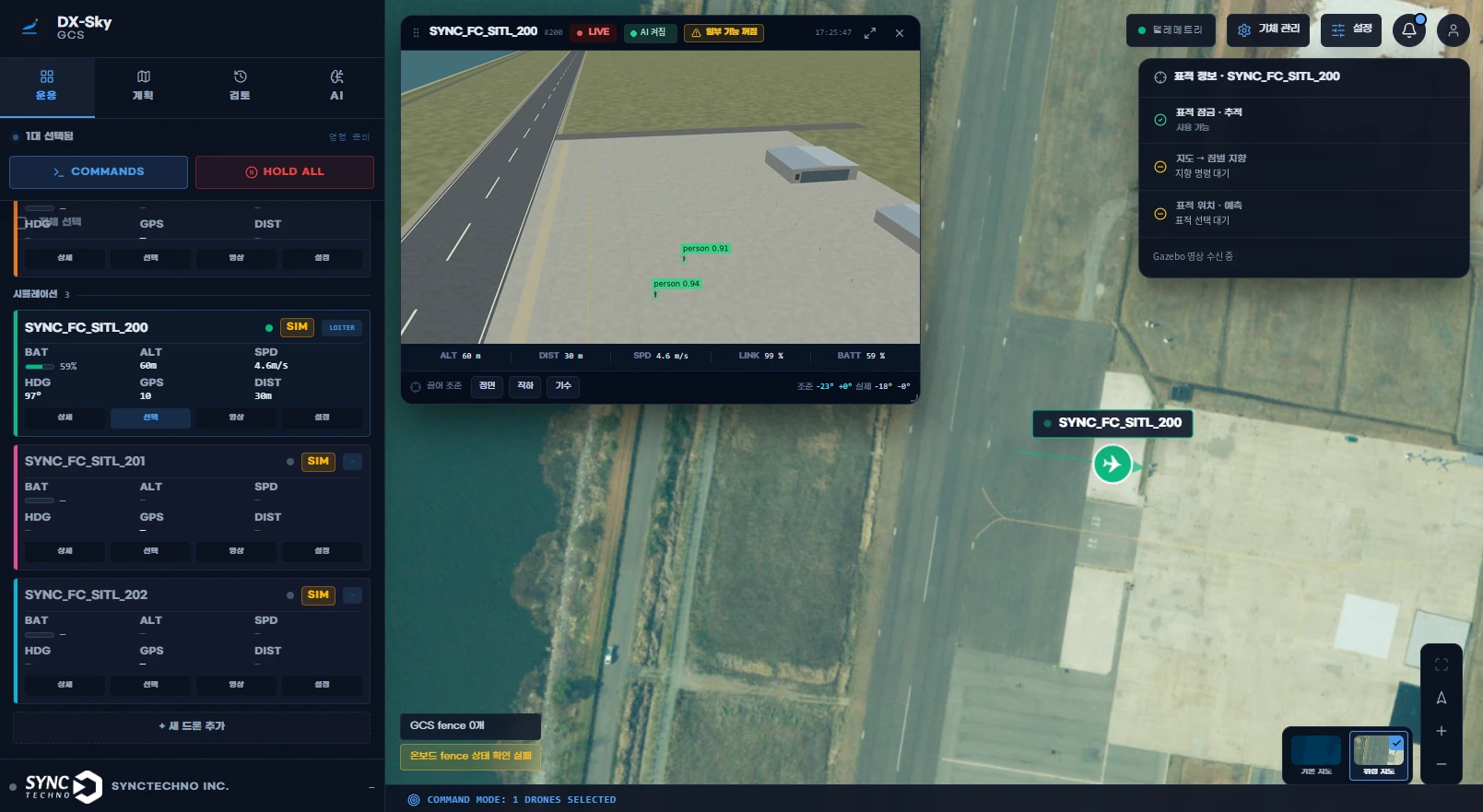
We integrate DX-Sky GCS and onboard software with each customer's aircraft and operating environment to build one consistent operating system, from mission planning to control and flight log management.
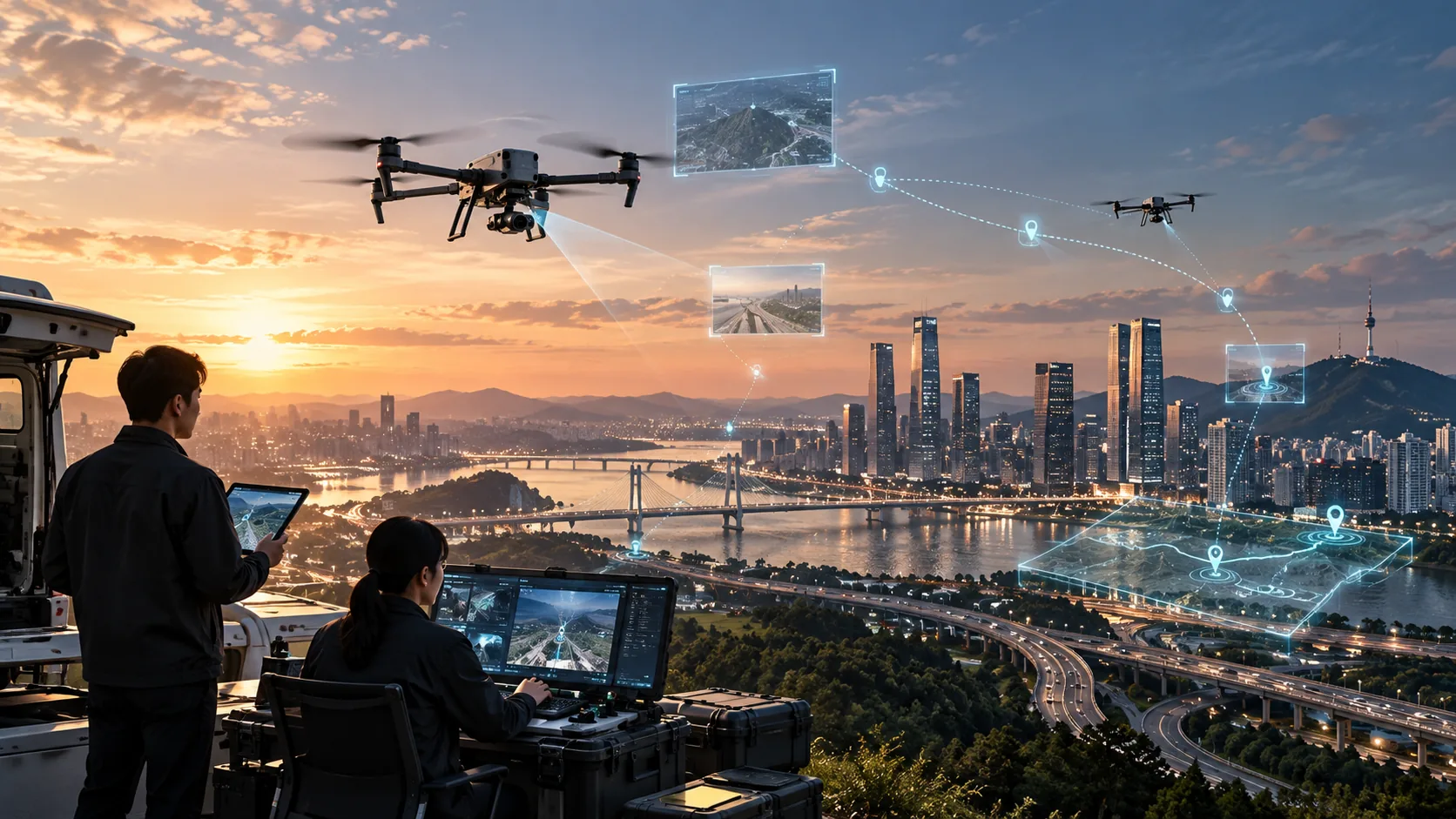
Each aircraft and mission environment needs different control and integration features. After reviewing the flight controllers, mission payloads and existing operating systems our clients use, we integrate DX-Sky GCS and the onboard software and develop the features required.
Once onboard software is integrated with the onboard computer of the aircraft you already own, registration, pairing and site-specific settings are all handled from the GCS. You do not have to connect to each aircraft separately, and the configuration is built around assets that can still be used instead of replacing equipment outright. The onboard software DX-Sky Drone is designed to handle communications, video, flight logs and AI inference on the aircraft's companion computer.
Before flight, communications quality along the planned route is checked from base station and signal information, and several links such as LTE and Wi-Fi are connected together. During flight the system switches between links automatically according to link status, so operators can focus on the mission rather than the connection.
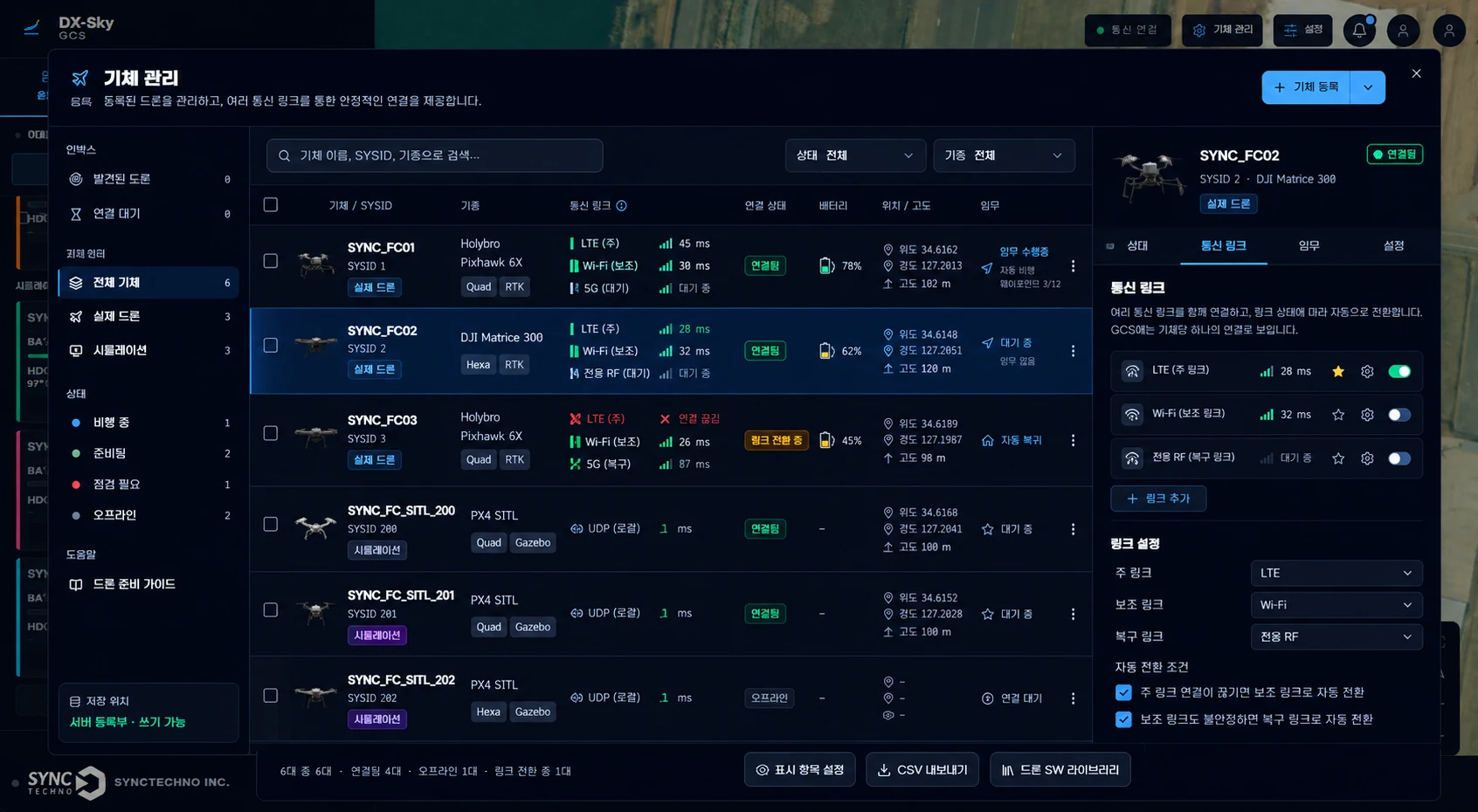
SyncTechno has developed through a wide range of UAV projects with many customers, including multi-UAV ground control systems, video and flight data integration and communications-quality-based flight corridors. Drawing on this experience, we add the features customers want to DX-Sky and provide the custom development their operations require.
We start by listening to what the field needs and define the development scope together. For example, the following can be developed.
Functions previously used separately in the control center, office, maintenance area and flight site are divided by operational role and connected into a single ground control system (GCS) environment.
Missions that have been tested are planned as they are, and several aircraft are controlled on a single map. Aircraft control, mission planning, video control, flight control and aircraft management can be configured to meet project requirements.
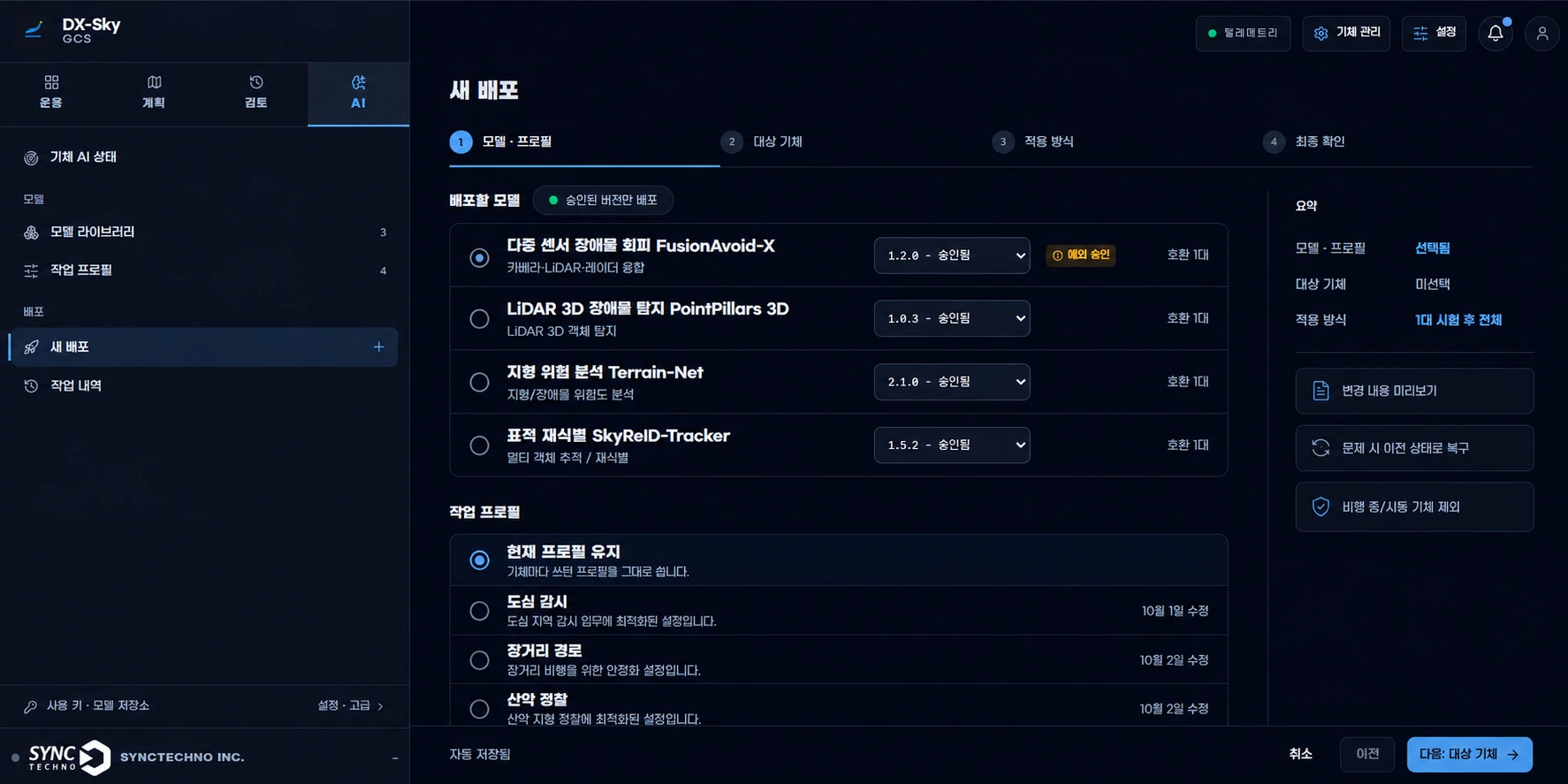
AI models, aircraft settings and onboard software updates are deployed remotely from the GCS to the aircraft you select. After previewing and approving the changes, you apply them to one aircraft first and then to the rest.
If anything goes wrong it can be rolled back, and nothing is applied to aircraft that are flying or armed, so the operating environment can be updated safely without handling each aircraft in the field.
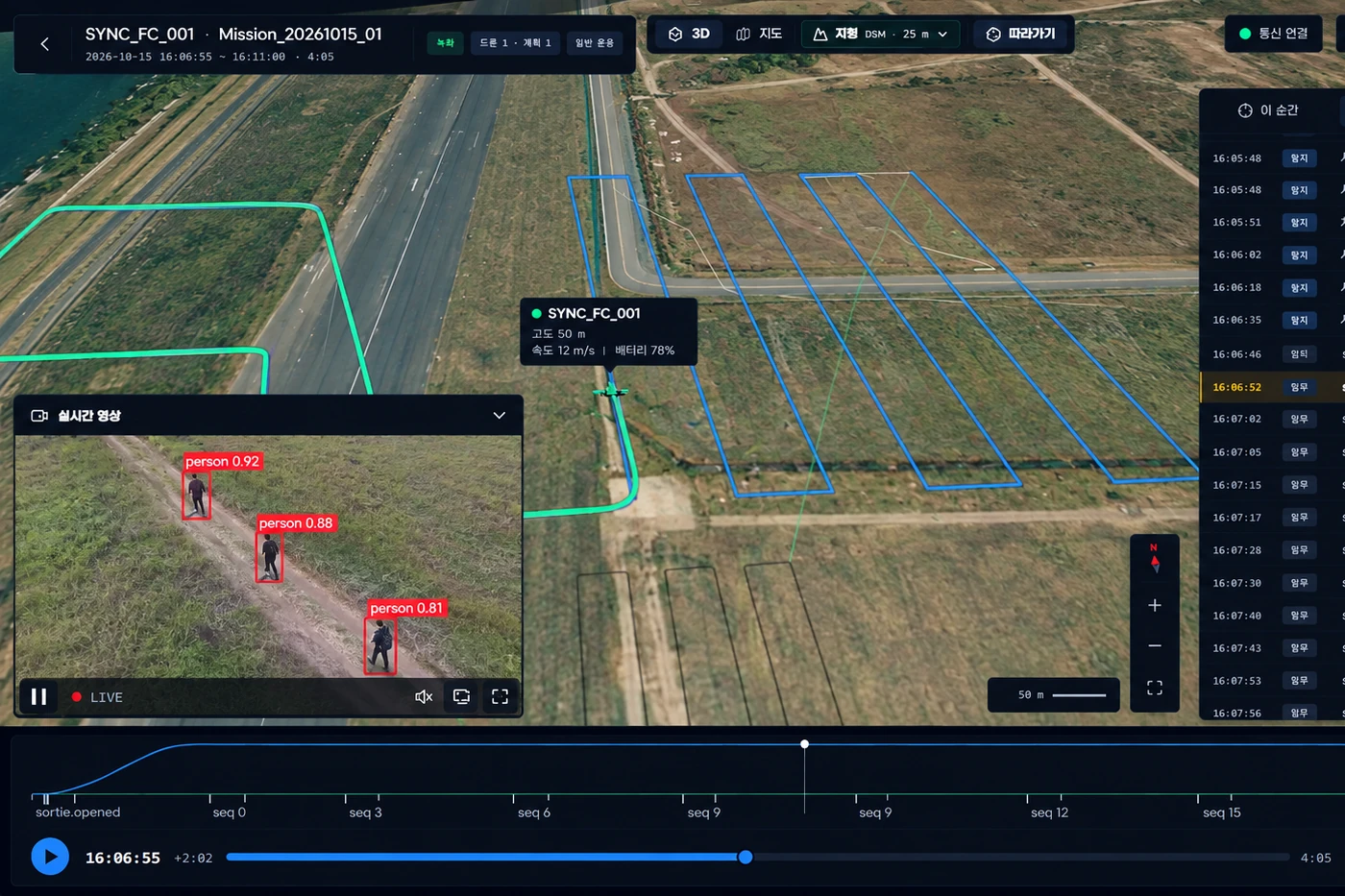
After a flight, records are retrieved and can be browsed by period and aircraft, replayed on the map or viewed again in 3D. Video, GPS, time and aircraft data are reviewed together on a GIS and fed into the next mission.
Special missions such as firefighting, dropping and spraying are managed as procedures based on waypoints and mission status, and pre- and post-flight inspection items are systematized to match each project's actual operating procedures, improving operational consistency.
Pre-flightCheck flight approval, wind speed and weather, surrounding conditions, aircraft and mission equipment, voltage, current and battery, and hovering status.
Post-flightCheck battery condition, the airframe exterior and motors, and the condition of onboard mission equipment to prepare for the next operation.
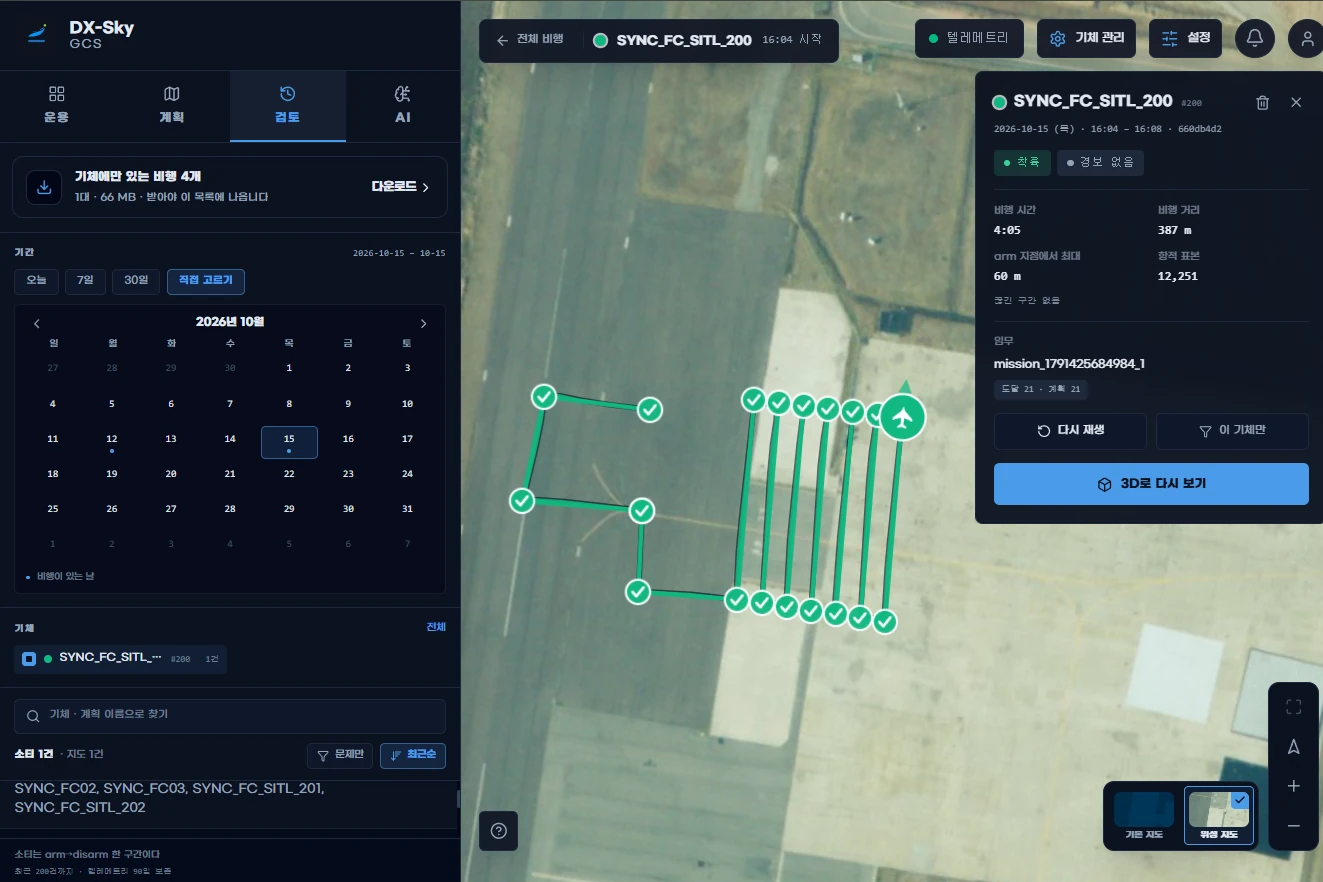
AI models and missions you have developed are tested first on a simulated aircraft in the very GCS you use for real aircraft, without moving them to separate simulation software or deployment tools. Models that pass testing are deployed to real aircraft from the same GCS after an approval step.
If there is a site or facility you want to test, it can be uploaded as a world file and tested in the same environment, so missions and AI detection can be checked before flight.